 GolfCut
Drop in your golf footage.
Keep only the moments worth watching.
GolfCut finds shots, greens and group moments in action-cam rounds, lets you review them in seconds, and exports a highlight mp4. Your video never leaves your PC.
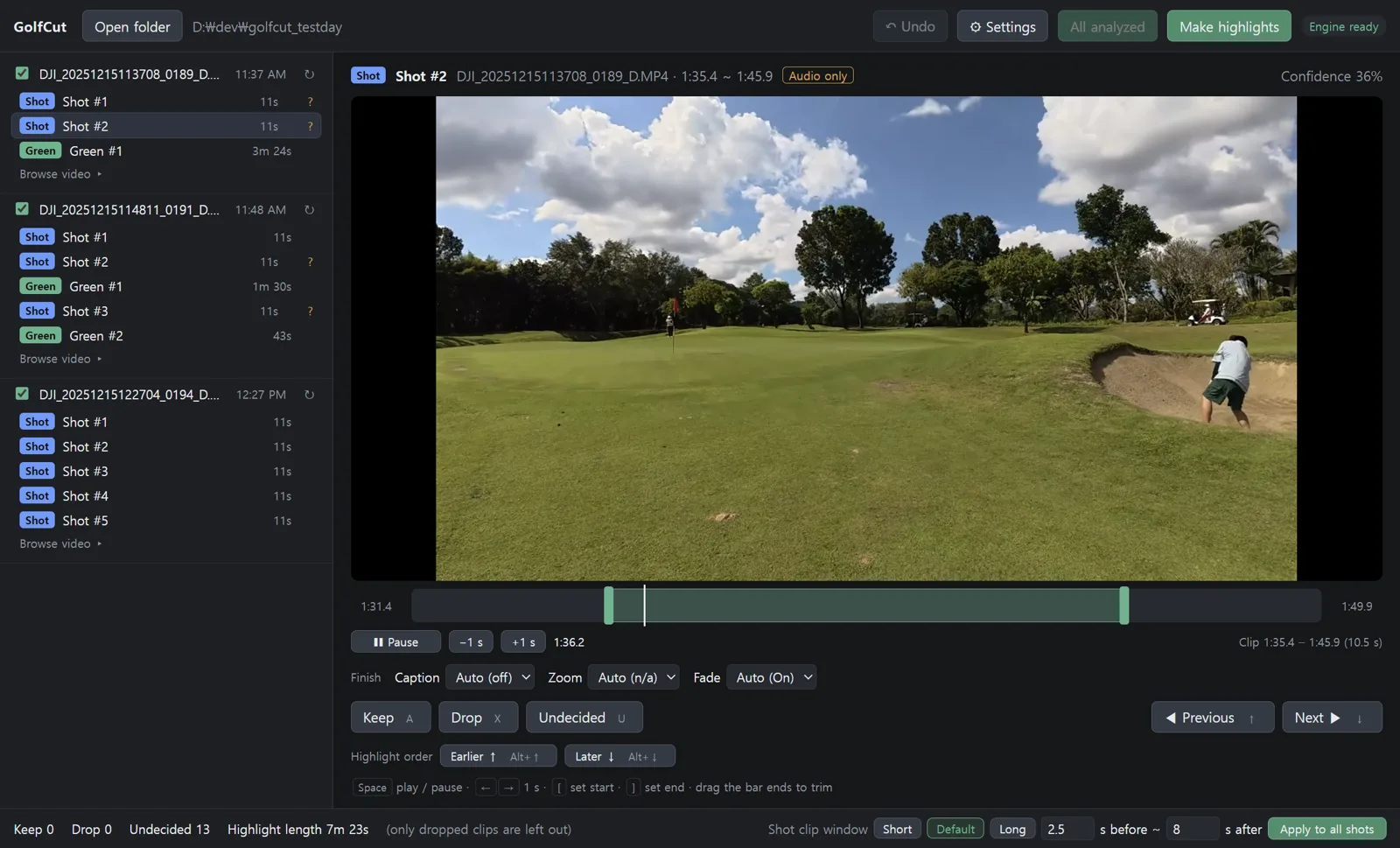
Built for footage that voice-based auto-editors miss
In golf, the quiet moments matter. GolfCut uses sport-specific detectors to catch them.
Shots by sound and pose
Matches the sharp impact sound with swing pose (backswing → impact). 99% recall on 134 real-round shots.
Greens and moments too
Suggests whole green scenes (or the last 45 s) and short selfie / group clips you shot on purpose.
Everything on your PC
Nothing is uploaded. The internet is used only to verify your license. An hour of 4K takes minutes on a laptop with a hardware decoder.
Review is the edit
A keep / X drop each clip, drag the bar to trim, Ctrl+Z. Highlights get fade, a one-line caption and golfer zoom automatically — adjustable per clip.
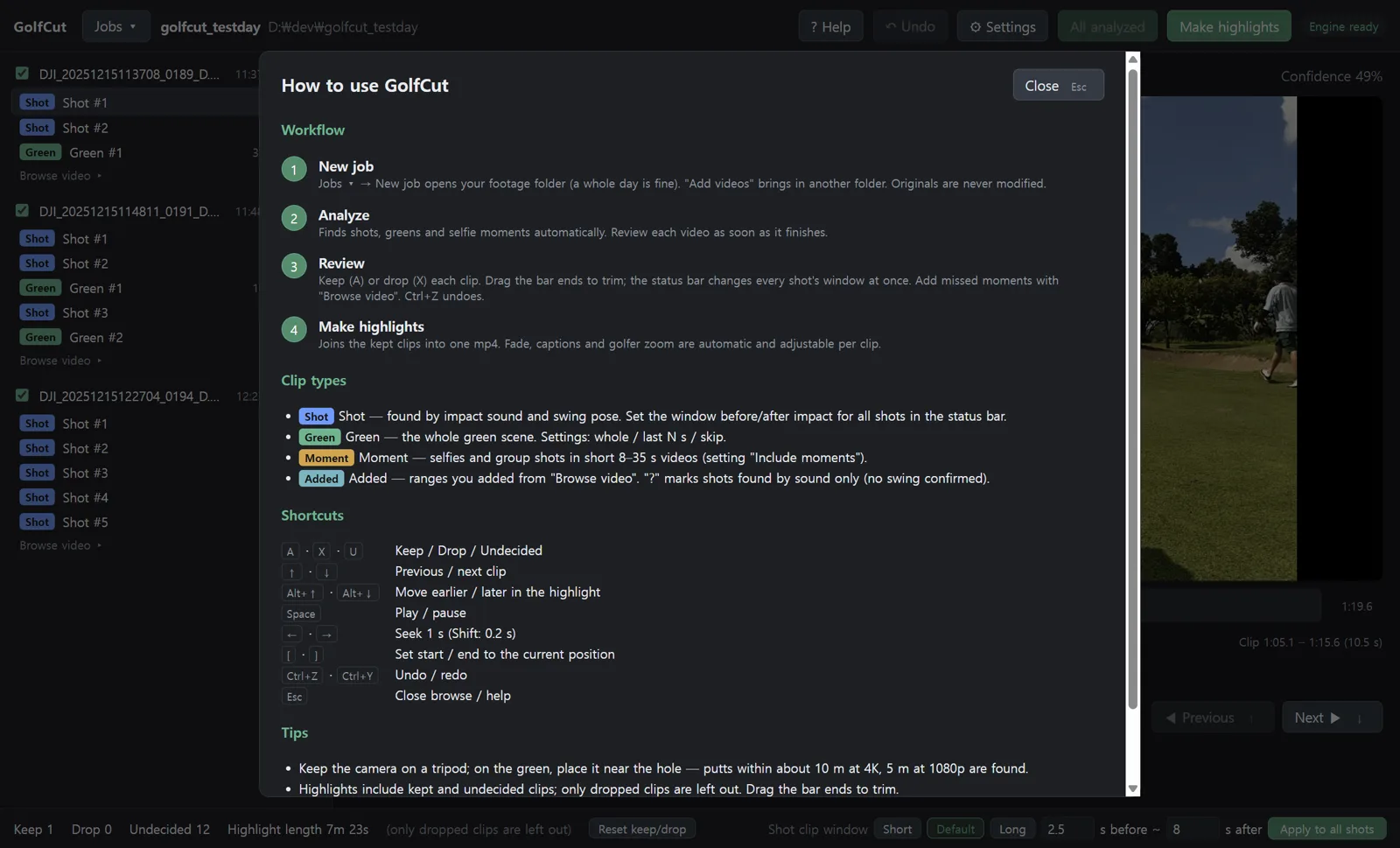
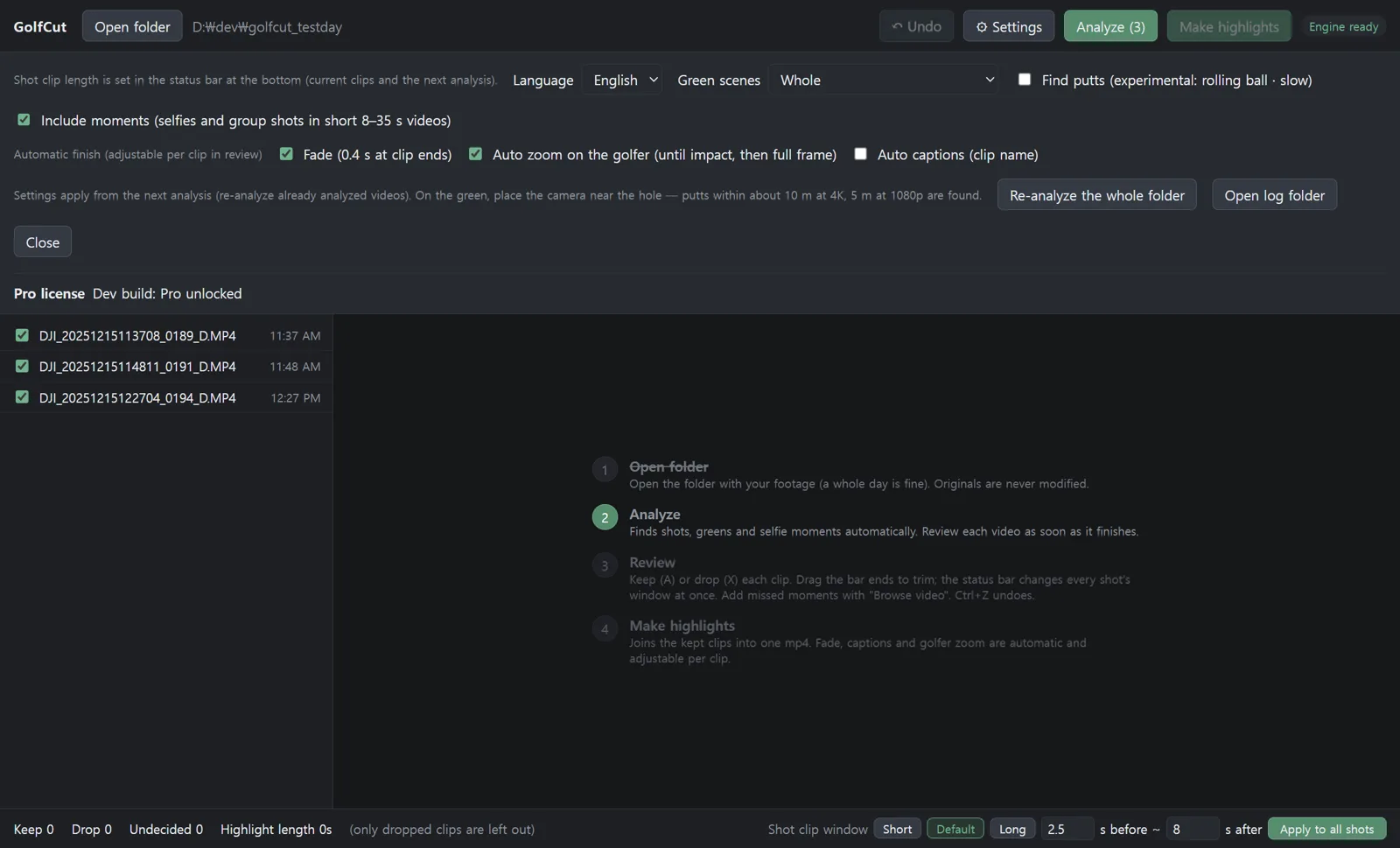
Four steps
Originals are never modified. The result is one new mp4.
Pricing
The free version is the trial — no time limit. Analyze and review everything, then go Pro when you want the full highlight.
Free
- Full shot, green and moment analysis
- Review, trim, undo, browse video
- Highlights: up to 3 clips + watermark
Pro
- Everything in Free
- Full highlights, no watermark
- Activate on 2 PCs
- In-app problem reports
Coming later — Plus subscription ($6.99/month or $59/year): personalization learned from your reviews, detector model updates and new sports. It sits on top of Pro; cancel anytime and Pro stays yours.
Download
GolfCut 0.1.1 (Windows)
360 MB installer — engine, FFmpeg and AI models included, nothing else to install.
GolfCut-0.1.1-setup.exeRequirements
- Windows 10 / 11 64-bit, 8 GB RAM recommended
- No GPU required; an integrated video decoder makes it ~4× faster
- Video: mp4 / mov (H.264, HEVC incl. 10-bit). 4 GB split files are joined automatically
- Designed for tripod-mounted action cams (built with DJI Osmo Action footage)
- Mac version is planned
FAQ
Is my video uploaded anywhere?
No. Analysis, review and export all run locally. The internet is used only for license activation (plus a check every 30 days) and problem reports you send yourself (logs and numbers only, never video).
Does it find putts?
It includes the whole green scene as a clip; you trim it with the bar. Detecting putts from the rolling ball is an experimental option (place the camera near the hole: ~10 m at 4K, ~5 m at 1080p).
Does it work on a laptop without a GPU?
Yes. Analysis finds candidates by sound first and only decodes video around them, so it never decodes the whole file. An integrated (Intel/AMD) HEVC decoder makes it ~4× faster than software.
How does the license work?
After purchase, the key arrives by email. Enter it in App Settings → License and click Activate. Up to 2 PCs; use "Deactivate on this PC" to move. Once activated, Pro works offline for 30 days at a time.
Korean / English
The app follows your Windows language (Korean or English) and can be switched in Settings.
Something went wrong?
Use App Settings → "Report a problem…" to send logs and numbers (Pro). Free users can email the saved zip. For orders and refunds, see My Orders; anything else: [email protected].